 Helm Sparkle
Documentation / Core concepts
Report
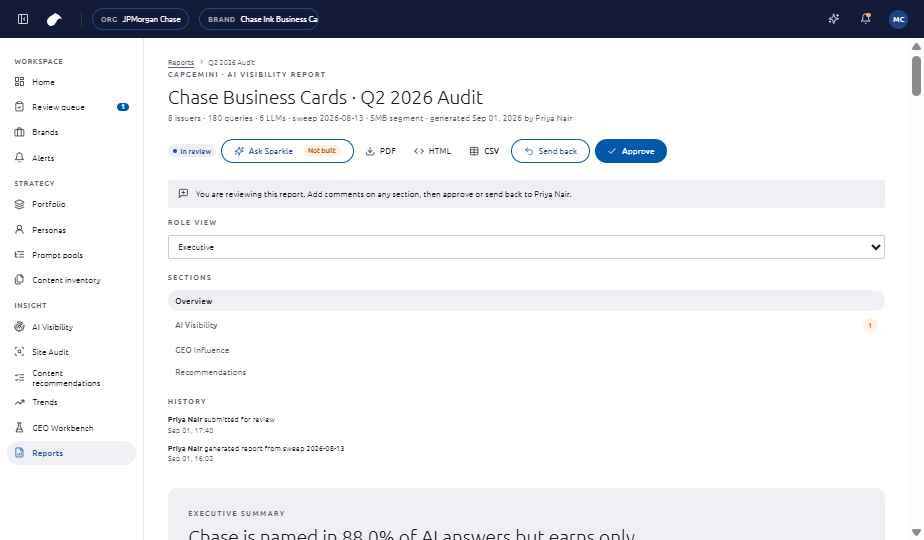
A report is the online summary of a brand's results. Each reader sees the view for their role.
How it works
Reports move through review. A reviewer comments on sections, then approves the report or sends it back.
Features
- Role views: Executive, Brand Manager, Content Strategist and Analyst.
- Comments on each section.
- Share link, PDF and HTML export.
Where you see it
Insight, then Reports.
Set it up
- Open Insight, then Reports, and generate a report.
- Reviewers choose a role view, comment on sections, then approve or send back.
- Share the approved report by link, or export it as PDF or HTML.
See also
Last updated
Was this page helpful?Contact support